Choosing the Right Video Editing Tool: Navigating the DigiCreate Digital Hive Toolbox
Video content remains one of the most effective forms of media for young creators, youth workers, and educators to share ideas and communicate their work. In today’s digital landscape, relying solely on static images or text is often not enough to capture an audience’s attention. However, with dozens of post-production apps available, choosing editing software that aligns with your specific technical skills, project scope, and budget can quickly feel overwhelming.
To assist emerging talent in selecting the right software, the DigiCreate Digital Hive Toolbox systematically breaks down various video editing platforms into accessible, structured profiles.
Comparing Popular Video Editing Solutions
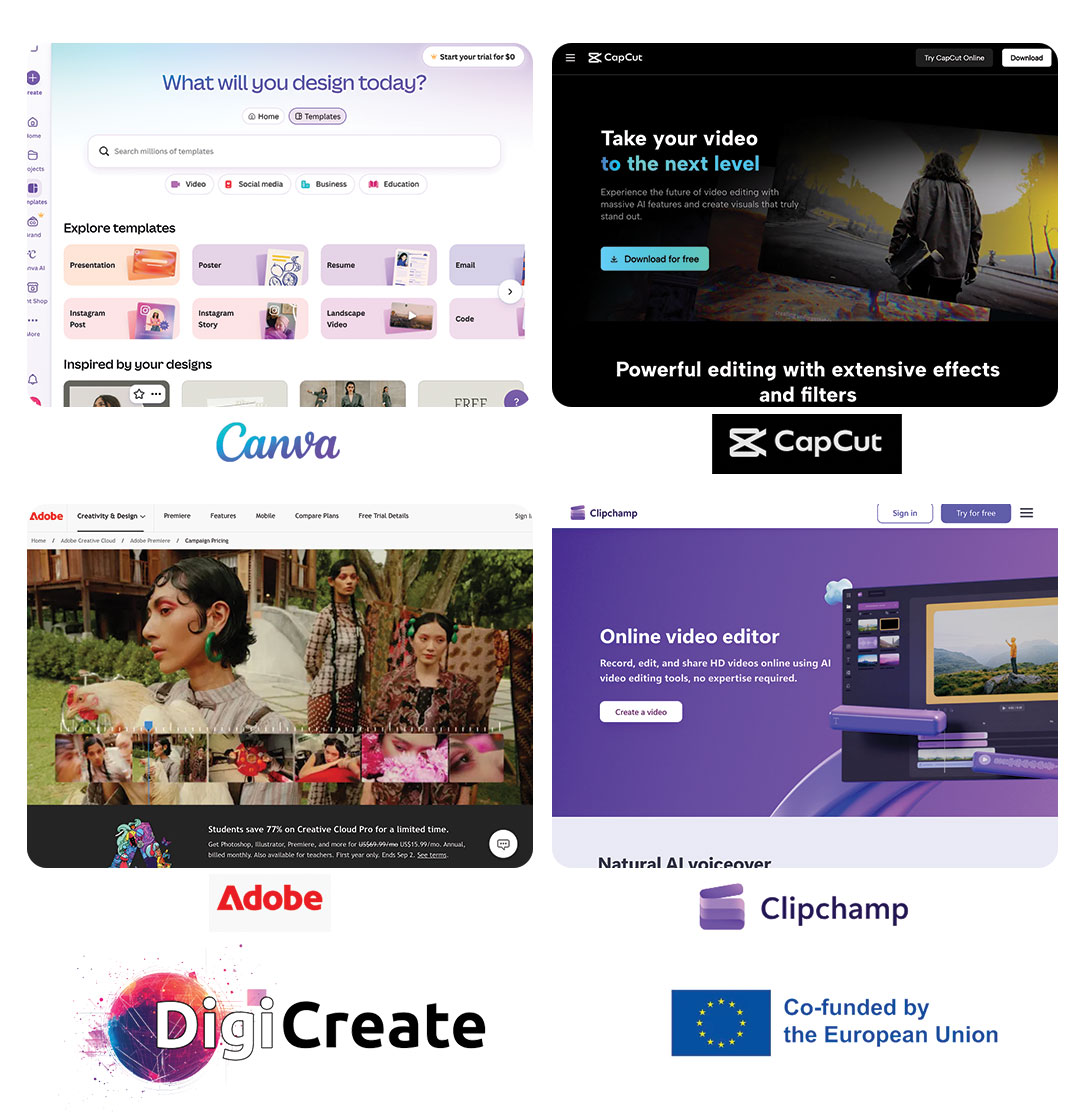
Whether you require a quick browser-based editor for social media clips or a full-scale professional suite for multi-track storytelling, four widely used tools highlighted within the Digital Hive Toolbox offer distinct advantages depending on your project needs:
- Canva: An accessible, browser-based graphic and video creation platform designed for quick social graphics, simple video trimming, and template-based projects.
- Tool Profile: https://digicreate-empower.eu/knowledge-hub/canva/
- CapCut: A versatile mobile and desktop editor optimised for short-form video creation, automated captions, dynamic visual effects, and fast social media exports.
- Tool Profile: https://digicreate-empower.eu/knowledge-hub/capcut/
- Adobe Premiere Pro: An industry-standard professional video editing application offering detailed timeline control, advanced colour grading, precise multi-track audio editing, and complex visual composition.
- Clipchamp: A straightforward, user-friendly video editor available through web browsers and desktop environments, providing essential editing functions, stock assets, and simple export options.
- Tool Profile: https://digicreate-empower.eu/knowledge-hub/clipchamp/
How the Digital Hive Toolbox Helps Creatives
Finding software should not involve wrestling with hidden paywalls or confusing technical descriptions. The DigiCreate Digital Hive Toolbox standardises resource discovery by providing transparent breakdowns for every entry.
Each resource card in the toolbox outlines:
- Core Description & Functionality: What the tool actually does and its primary feature set. • Contributing Partner: The consortium partner across Europe that recommended and reviewed the resource.
- Type & Category: Clear classification between standalone software, web applications, or educational guides.
- Pricing Model: Transparent indications of free tiers, freemium options, or paid licensing requirements.
- CCI Sector Relevance & Typical Users: Clear target profiles indicating whether the software suits beginner freelancers, educators, youth workers, or experienced creative professionals.
By comparing tools side by side, creators can build confidence in their technical choices and select software that speeds up their workflow rather than stalling it.
Explore the Platform
Take control of your learning journey and find software that fits your creative vision:
- Explore the Digital Hive Toolbox Directory: https://digicreate-empower.eu/hive-toolbox/
- Register for Full Platform Access: https://digicreate-empower.eu/register/
Funding Agency: EACEA – European Education and Culture Executive Agency
Learn more about DigiCreate: https://digicreate-empower.eu/
101193474 — DigiCreate — ERASMUS-EDU-2024-VIRT-EXCH
Disclaimer: Funded by the European Union. Views and opinions expressed are however those of the author(s) only and do not necessarily reflect those of the European Union or the European Education and Culture Executive Agency (EACEA). Neither the European Union nor EACEA can be held responsible for them.